
DIY LM324 Electronic Load with Cooling & Safety


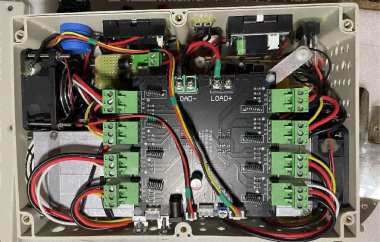
If you're interested in assembling an electronic load using an LM324 board, you might want to check out this article.
If you've been testing power boards with heating wire and find adjusting the current inconvenient, you can follow the approach in this article and make an electronic load using an LM324 board.
Here are some points to pay attention to:
1. To reduce current-induced temperature drift, you can replace the cement resistor on the original board with eight identical manganin wires.
2. Swap the potentiometer for a 3590 multi-turn type, which makes it easier to fix in the enclosure.
3. Connect the eight transistors using 5.08mm plug-in terminals, so if a transistor blows, you can replace it easily.
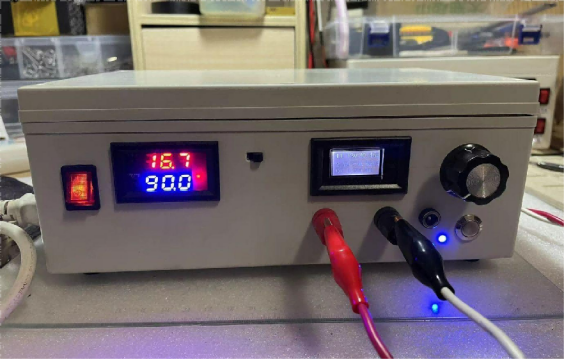
4. Use dual-fan cooling (60×60×25mm) with an independent 12V power supply and a 45-degree temperature control switch. Add a 3-pin, 2-position switch between the fans and the power supply (the small switch between the two meters), one side always on, the other temperature-controlled:
① The main fan is fixed at the front of the heatsink, blowing from the outside into the airflow channel, to cool the heatsink and transistors.
② The auxiliary fan is fixed next to the heatsink's exhaust, sucking air from inside to outside, to cool the transistor surfaces and the inside of the case.
5. Add a temperature control module between the board and the 12V power supply. Drill a hole between the transistor farthest from the main fan and the heatsink to place the temperature probe (which measures the real temperature of the transistor as accurately as possible). This enables over-temperature power-off to protect the transistors and the board.
6. Include a one-button start/stop circuit between the temperature control module and the board: set the temperature module to cut off at 90°C with a 25°C hysteresis. That is, when the temperature drops to 65°C, the module powers back on, but you need to press the one-button switch for the board to resume operation. This prevents the risk of large current surges to the board and transistors if over-temperature protection triggers and then the power is restored.
7. At the input, use a combination of reverse-parallel diodes and a fuse to add a reverse-connection protection module, preventing damage to the board if the power is connected backward.
After testing, it runs very stably. It works fine at 200W (50V, 4A), and 400W should also be no problem.
If you drill the holes manually, the holes above the pin-shaped socket can be angled. However, if you use a step drill, make sure to control the depth, or you may end up like the picture below.
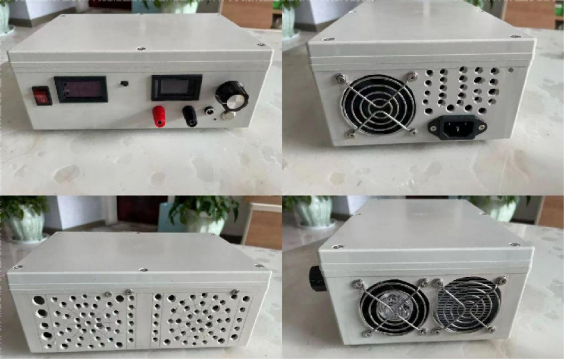
The enclosure is a bit compact but can fit all the components.
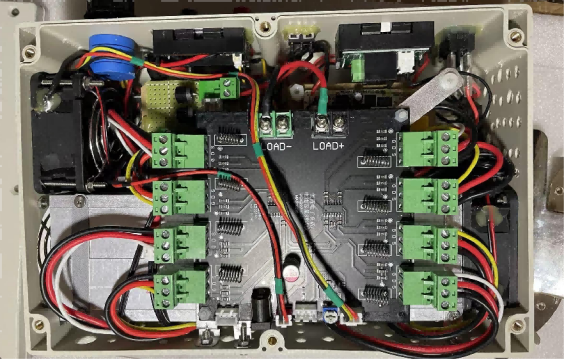
The protruding part of the 5.08mm terminals matches the height of the enclosure's top cover perfectly.
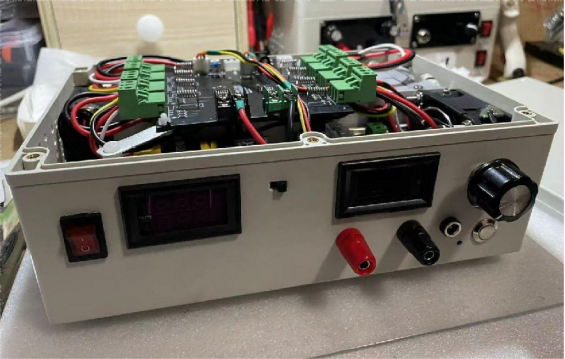
The end.


