
DIY Philips PQ215 Type-C Battery Upgrade


If the Philips PQ215 shaver is easily switched on by mistake, causing the battery to over-discharge and drain quickly, what should you do? If you are interested, take a look at this article.
First, this shaver has several main drawbacks:
1. It charges with 220V AC, so if you are traveling far from home, you have to bring the dedicated spring charging cable with you.
2. The power switch has no protection against accidental activation.
3. It is not waterproof, which makes cleaning and maintenance inconvenient.
If your shaver has the same issues, you can modify it based on the problems mentioned above, although you will need to solve the waterproof issue by yourself.
The modification plan is as follows:
1. Change the charging method to 5V charging through a Type-C phone charger, so you can carry one less cable.
2. Add a touch control function to prevent the shaver from being turned on accidentally and draining the battery.
3. The shaver uses a 1.2V motor, and powering it directly with a lithium battery will damage the motor, so you need to add a DC-DC converter circuit.
You must step down the 3.7V lithium battery voltage to 1.2V while still ensuring the original motor current of 450mA.
Based on the points above, the first step is to replace the original mainboard.
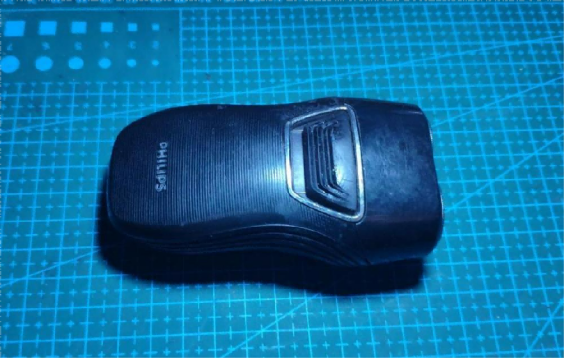
The image below shows the front view of the shaver.
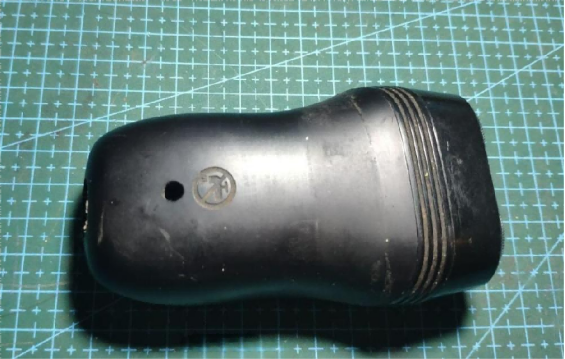
The back side is shown in the image below.
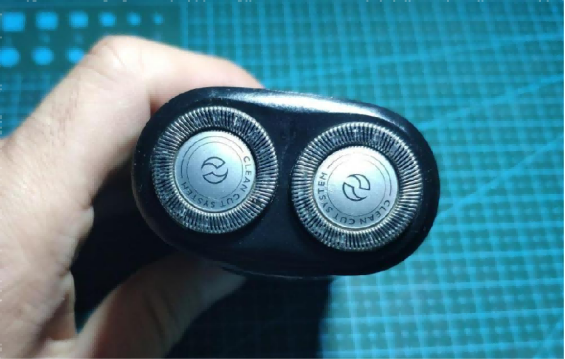
The top shaving head section is shown in the image below.
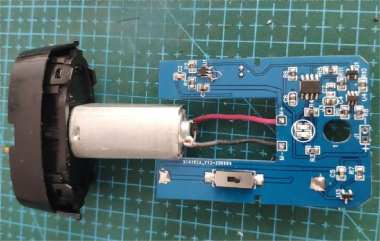
Next, you can open it up and check the internal structure, as shown in the image below.
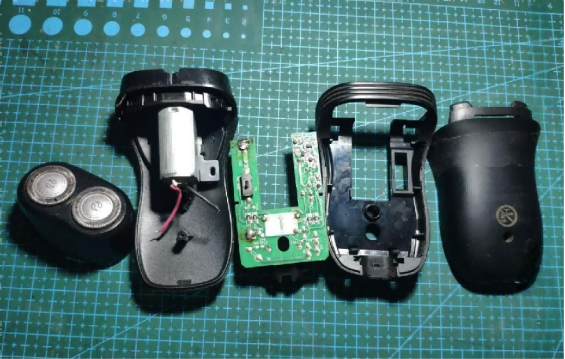
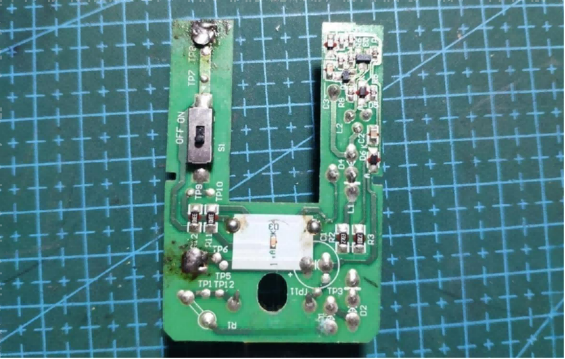
This is the original mainboard. Most of the components on it are designed for charging the NiMH battery.
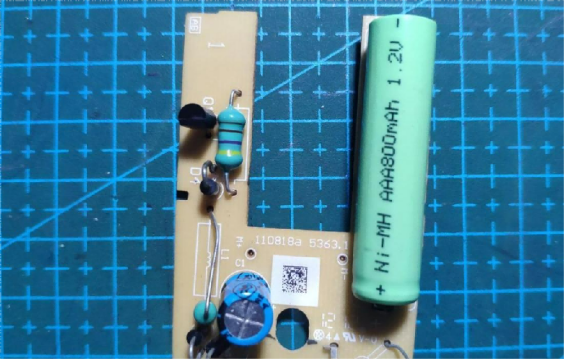
The other side of the board is shown below.
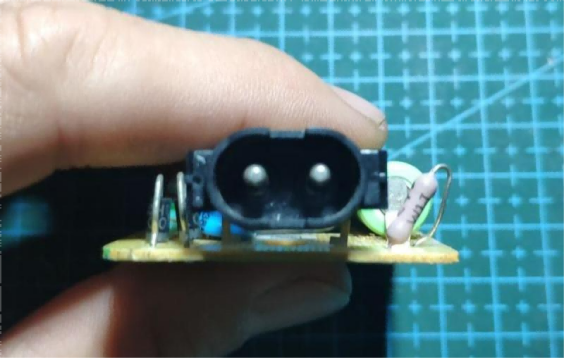
Here is the original charging port.
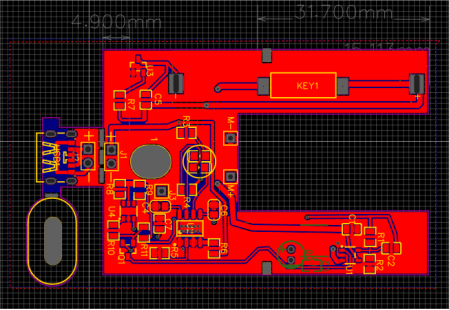
Next, you need to design and fabricate a new PCB, as shown in the image below.
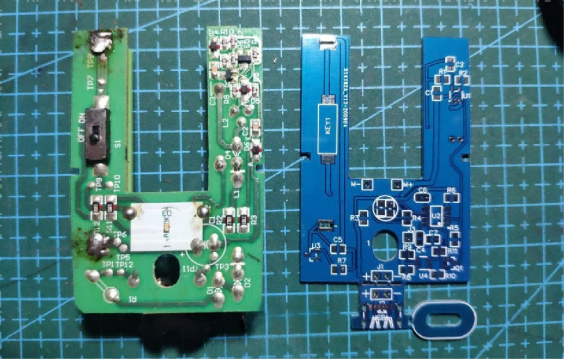
The PCB of the new board is shown below.
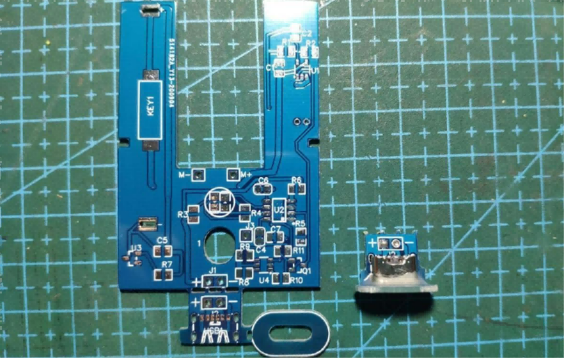
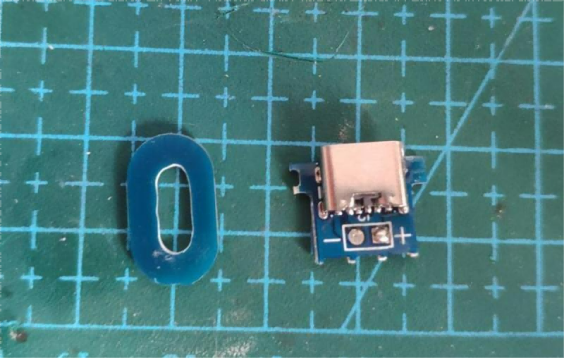
The small extension tab at the bottom of the board is for modifying the charging port. On the right side is the assembled Type-C charging port.
The front side of the charging port is shown below. You can use a 6-pin Type-C connector.
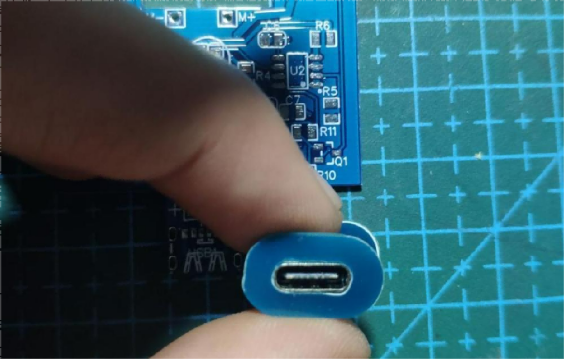
The assembled charging port is shown in the image below.
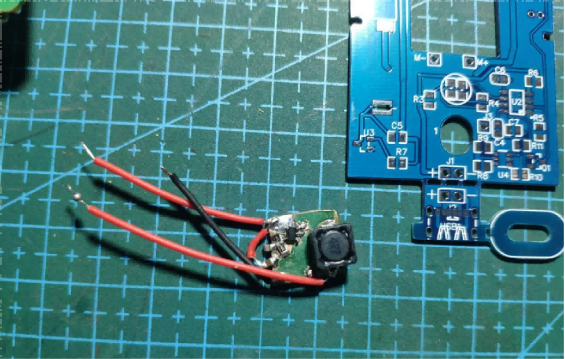
You can temporarily set up a DC-DC converter to test whether the chip can drive the motor properly.
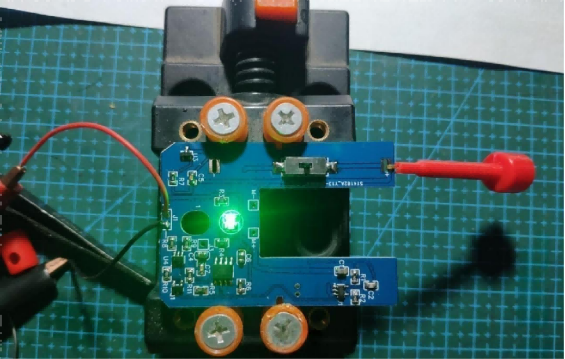
The image below shows the soldered board being tested for the TP4056 charging function.
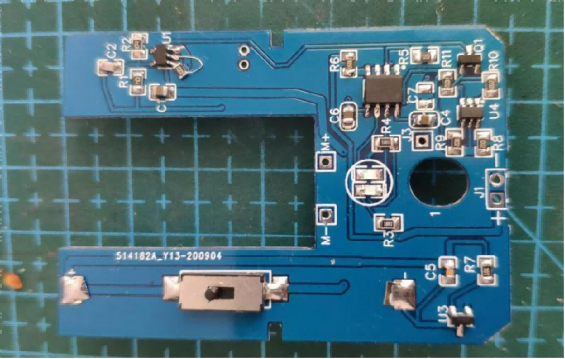
The front side of the fully soldered board is shown below.
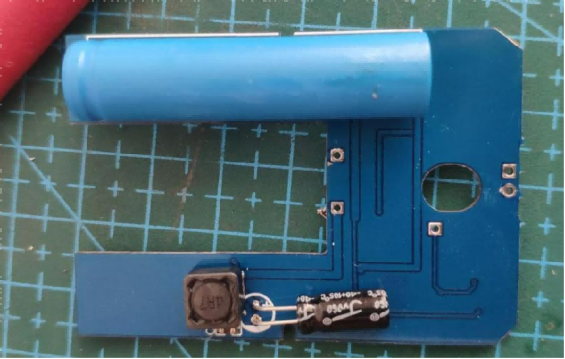
The back side is shown below with the battery installed. You can use a 10440 lithium battery.
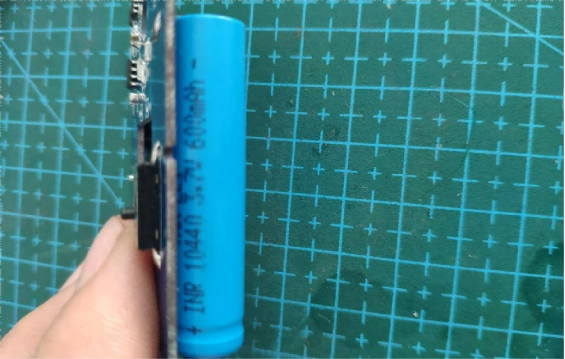
The battery model is shown in the image below.
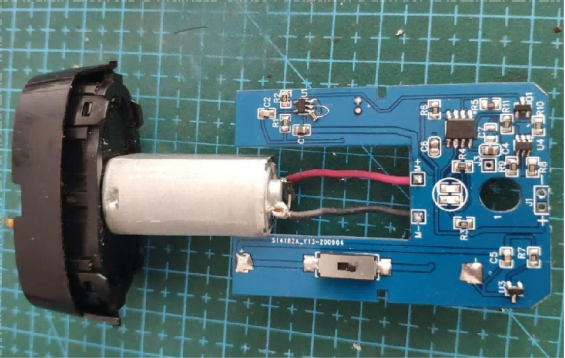
The assembled unit is shown below. You can reuse the original switch from the stock board.
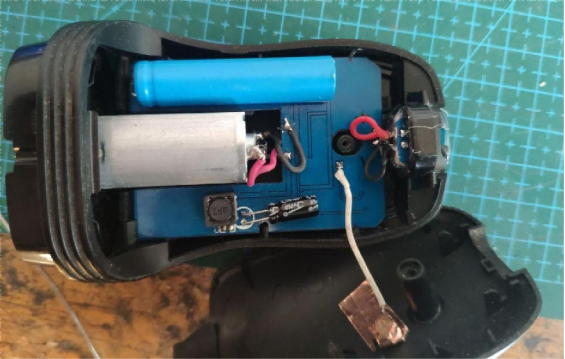
The white wire is the touch sensing wire. For touch control, you can use the TTP223 chip.
The assembled charging port is shown below.
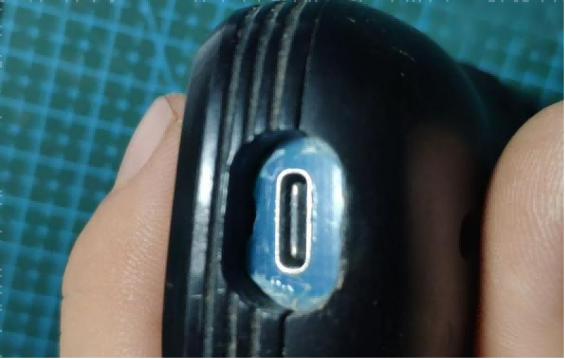
Finally, reassemble everything.
At the end, the schematic diagram is shown below.
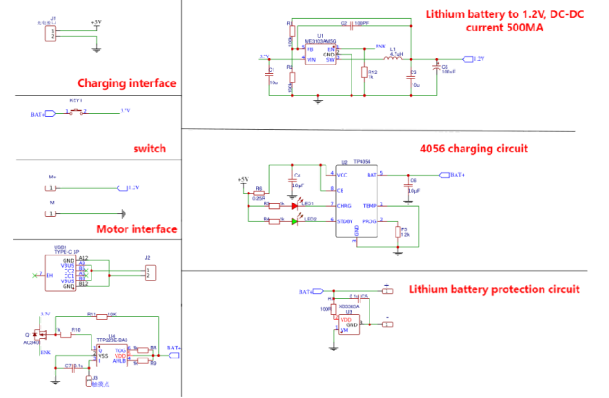
Here is a brief introduction to the chips used in the schematic:
1. The TP4056 charging management chip. You can easily find its datasheet and details online.
2. A single-cell lithium battery protection chip. If you are unsure whether to choose this or the DW01+8205 combination, you can follow the chip used in this DIY project.
3. The TTP223 touch sensor chip. It is very common and sufficient for this function. The TTP223 controls the AO3401 PMOS to manage the enable pin of the DC-DC converter.
4. A 6-pin Type-C connector. It has fewer pins, is easier to solder, and is sufficient if you only need charging functionality. It is one of the most commonly used connectors for DIY modifications.
End.


