
DIY Countdown Timer for RO Water Purifiers


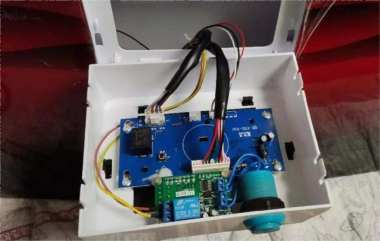
If you're interested in adding a countdown timer function to your water purifier and drinking water machine, this article might be worth checking out.
The device we're modifying is an RO (reverse osmosis) water purifier and drinking water machine. Its filtration is excellent, with the output TDS around 7. It uses standard consumable filter cartridges, which are very affordable. Both the cooling and heating functions have mechanical switches. For example, when heating, once the water temperature approaches 100°C, the thermostat switch turns off. But if you don't manually turn off the heating, the water will heat again once it cools down. Beyond the "reboiled water" issue, the biggest problem is energy consumption. So how should we solve this? If you have similar issues, you can try adding two countdown switches to your water purifier. After the set time, the switches will cut off heating or cooling. This way, you save electricity and don't have to worry about water reheating repeatedly.
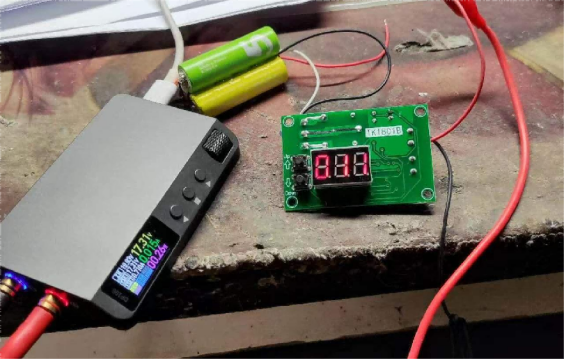
You'll need a countdown module, which can be set for up to 999 seconds or 999 minutes. Before installing, you should test the module to make sure it works. Here's a picture of the module:
Next, you need to remove the front panel of the water purifier. In a suitable spot, use some glue to attach a few screws (screws are first attached to the module, then glue is applied to them).
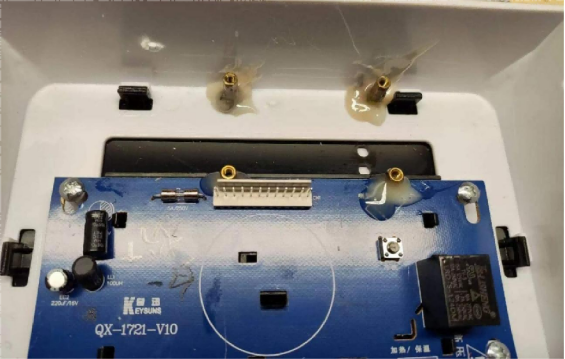
After that, you can install the module, as shown in the picture below:
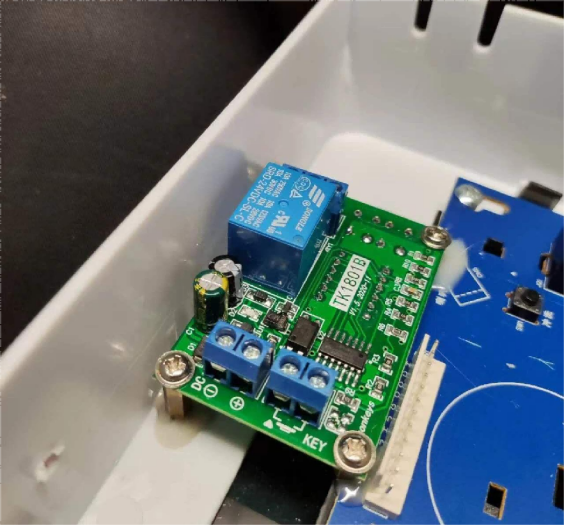
Once the module is connected, if you don't have a suitable momentary switch, you can use an old game console button. You can choose a module that uses 24V power so that it can draw electricity directly from the capacitor on the panel.
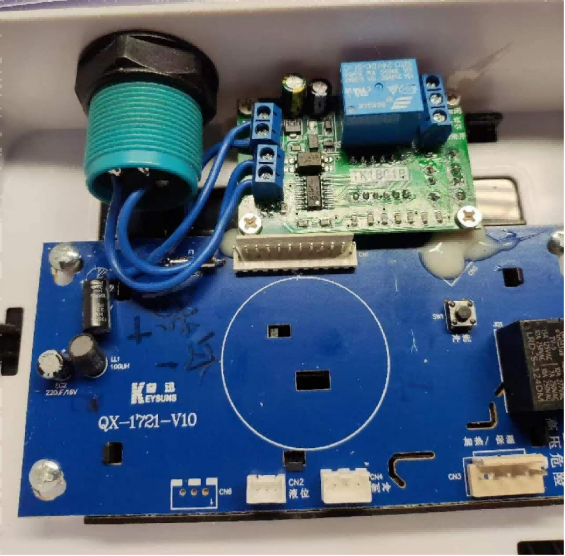
The module controls a relay. Connect two wires from the water heater switch in parallel to the relay. This way, the water purifier switch can remain off normally, with the module controlling the heating. If you ever want the heating to stay on continuously, the original switch still works.
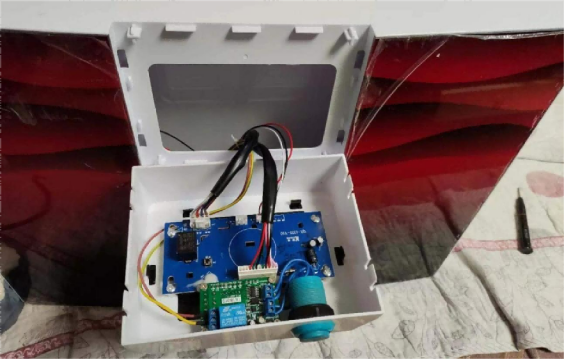
Here's how it looks after installation. If you don't have a long-handle tactile switch, you can temporarily extend it with two pen refills to the outside—that's the two pink buttons shown in the picture. Later, you can replace them with proper long-handle switches.
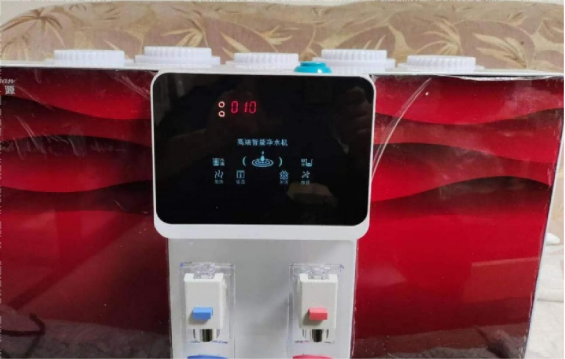
Usage effect: By pressing the pink buttons, you can set the countdown duration. In summer, you might set it to 300 seconds, and in winter, 500 seconds. Once set, it remembers the settings even after a power cut, so you don't need to reset it when powering back on. Pressing the countdown switch starts heating, and the module displays the countdown progress. Of course, you can manually stop the countdown if needed. This way, you only turn on heating when you actually need hot water, saving quite a bit on electricity.
The end.


