
DIY 2.5-Inch to 3.5-Inch Hard Drive Cable


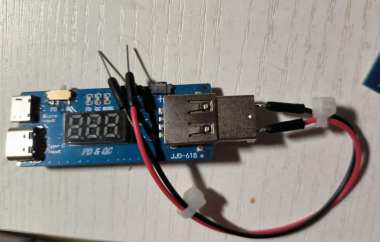
If you're interested in DIY a 2.5-inch USB enclosure into a 3.5-inch "easy-drive" cable, this article is worth checking out.
An easy-drive cable for a 3.5-inch hard drive can be used for cold backups. To do this, you'll need a 2.5-inch hard drive enclosure. The interfaces for both drive sizes are the same, but the 2.5-inch drives lack the extra power pins. You'll also need a "voltage trick" cable. The result of the modification looks like this:
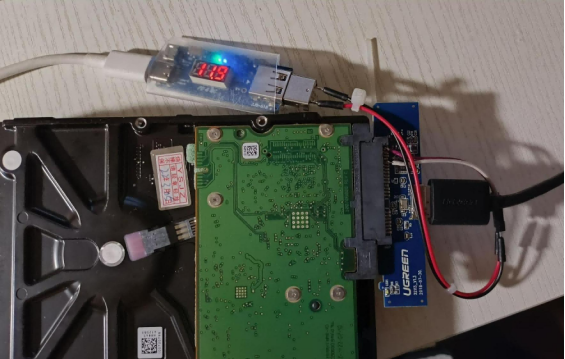
After the mod, it basically works without any issues.
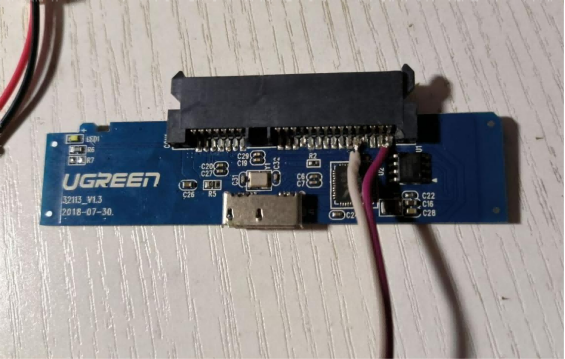
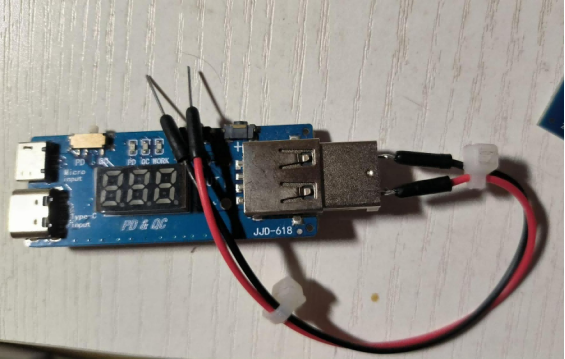
The power cable doesn't have polarity requirements. If you have heat shrink tubing, you can make the connection stronger and neater. Using my phone charger with the voltage trick cable, you can output 5V, 9V, or 12V, with a maximum power of 67W, which eliminates the need for multiple power supplies.
Here's how to use it: first connect the 12V line, adjust the trick cable to 20V, then plug the USB into the computer. You'll need to wait a moment before the hard drive is recognized. When disconnecting, eject the drive first and wait for the platters to stop spinning before unplugging, because if the hard drive loses power suddenly, the heads will automatically park, which still carries some risk.
Write speeds are around 150 MB/s, sometimes reaching 170 MB/s, and read speeds are similar. You can test the exact speeds yourself. If the USB 3.0 device is plugged in slowly, it will only operate at USB 2.0 speeds. In my case, slow insertion limited the max write speed to 40 MB/s. This is reportedly because the USB 3.0 data pins are located further back, causing authentication issues during connection.
Below is the teardown method for the UGREEN enclosure:
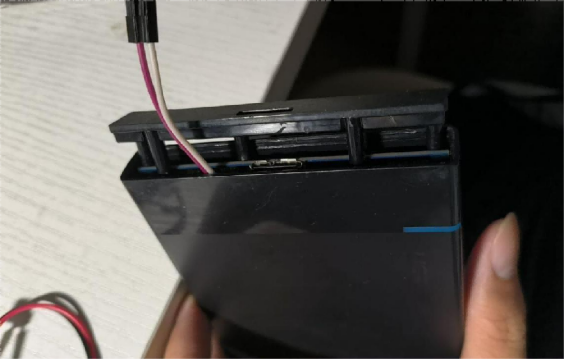
Insert a blade slightly, then pry gently. If it moves, insert and slide the blade—no brute force is needed to open it without damage.
You can drill a DC power hole on the case and prepare a 5525 DC socket. Connecting a 12V power supply will make it work, though there's a risk of damaging the hard drive if plugged incorrectly. Otherwise, just prepare a proper plug and socket. Keep in mind, the enclosure cannot fit a 3.5-inch hard drive, so it can only be used as an easy-drive cable.
Easy-drive cables are designed as one unit and are safer. This kind of mod can lead to unstable power and potentially damage a drive, so it's best used for cold backups. For frequent use, it's better to stick with a proper easy-drive cable or enclosure.
The end.


