
DIY: Convert STLINKV2 into SPI Flash Programmer


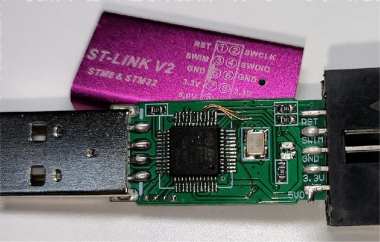
If you have an old, unused STLINKV2 and want to bring it back to life, what can you do? You can try DIY-ing it into a high-speed SPI NOR FLASH programmer. If this sounds interesting, read on.
The finished mod looks like this:
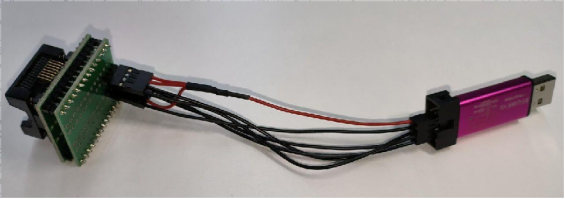
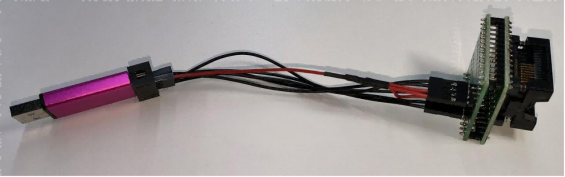
The modification is very simple—you only need four steps:
Step 1: You need to cut off the original unused traces.
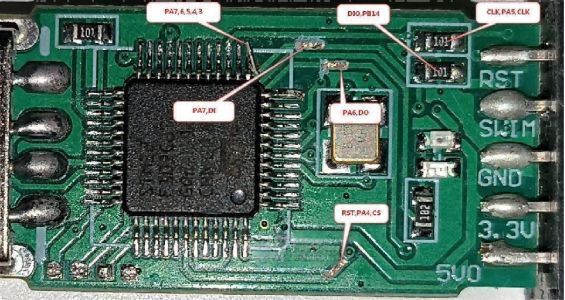
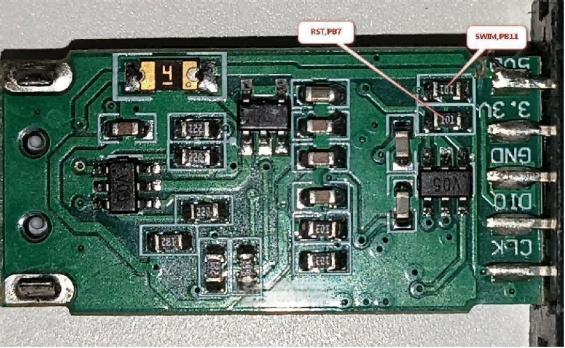
Step 2: You need to make wire connections to the chip pins.
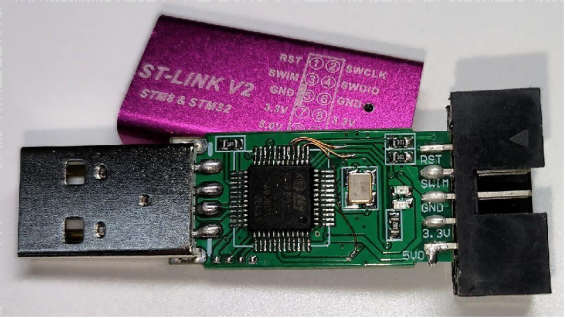
Step 3: You need to flash the STM32 with the firmware stm32-vserprog-stlinkv2.hex.
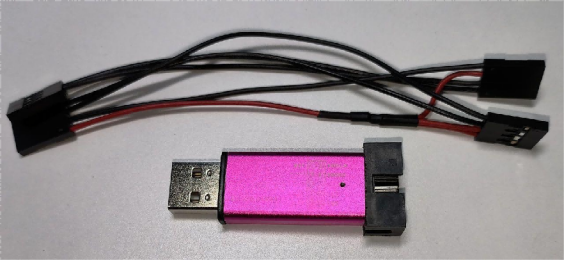
Step 4: Finally, you need to use a few Dupont wires to make an adapter cable.
The wiring schematic is shown in the figure below.
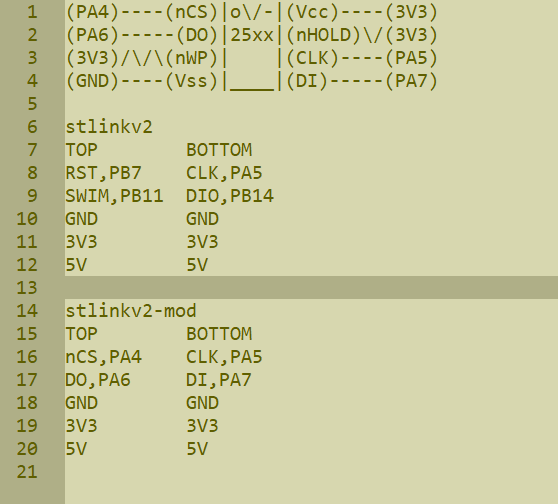
You can connect it to the USB port of a computer or a router.
For Windows computers, you need to install the STM32 virtual COM port driver, and the host software uses the attached software flashrom.
For OpenWrt routers, you need to install the driver kmod-usb-acm and the host software flashrom.
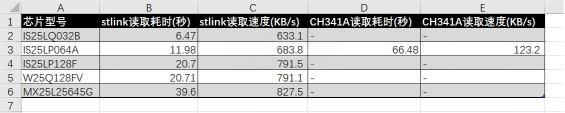
The actual measured read speed is approximately 5.5 times faster than CH341A.
Here is a list of FLASH chips you can program. You can refer to this page: https://www.flashrom.org/supported_hw/index.html
Test Platform 1:
E8820s Router: MT7621 CPU, 256MB RAM, running OpenWrt v19.07.10
STLINK real-world results:
# time flashrom-usb -p serprog:dev=/dev/ttyACM0:4000000 -r IS25LQ032B.bin
real 0m 6.47s
# time flashrom-usb -p serprog:dev=/dev/ttyACM0:4000000 -r IS25LP064A.bin
real 0m 11.98s
# time flashrom-usb -p serprog:dev=/dev/ttyACM0:4000000 -r IS25LP128F.bin
real 0m 20.70s
# time flashrom-usb -p serprog:dev=/dev/ttyACM0:4000000 -r W25Q128FV.bin
real 0m 20.71s
# time flashrom-usb -p serprog:dev=/dev/ttyACM0:4000000 -r MX25L25645G.bin
real 0m 39.60s
Test Platform 2:
Desktop PC: Intel E3-1240 CPU, 16GB RAM, Windows 7 Professional
STLINK real-world results:
>echo %DATE:/=-%_%TIME::=-%
2023-01-09 Mon_17-49-52.17
>flashrom-v1.2.1.exe -p serprog:dev=COM29 -r IS25LP064A.bin
>echo %DATE:/=-%_%TIME::=-%
2023-01-09 Mon_17-50-04.69
60+04.69-52.17=12.52 seconds
Comparison with Platform 1:
E8820s router: MT7621 processor, 256 MB memory, OpenWrt v19.07.10 system. CH341A actual measured data:
# time flashrom-usb -p ch341a_spi -r IS25LP064A.bin
real 1m 6.48s
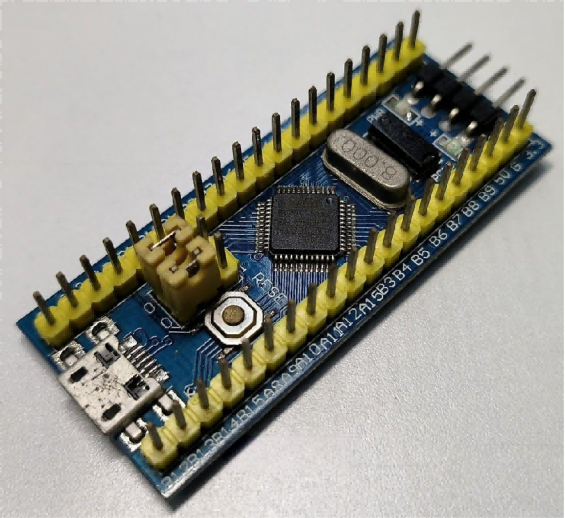
If you are not skilled with jumper wires and find this difficult, you can use the STM32 Bluepill board instead. You only need to flash the STM32 with the firmware stm32-vserprog-bluepill.hex.
The host software flashrom and firmware can be downloaded in the attached file:


