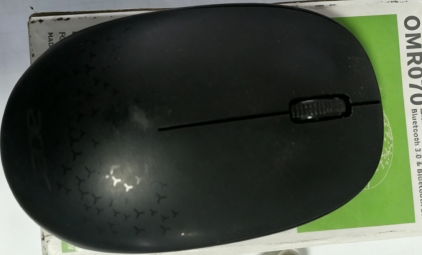
DIY Power Switch: Modify a Bluetooth Mouse


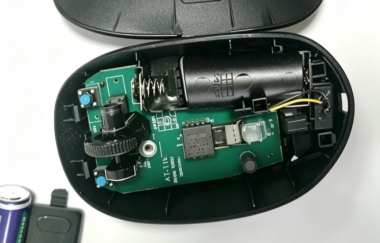
If you are interested in DIY power switches, you may want to check out this article.
Suppose you happen to have a Bluetooth mouse, but the mouse does not have a power switch. Whenever you accidentally touch a button, the mouse wakes up immediately. If you put it inside a computer bag, it may keep waking up from time to time and waste battery power. At this point, you come up with the idea of adding a switch to it. You decide to use a slide switch.
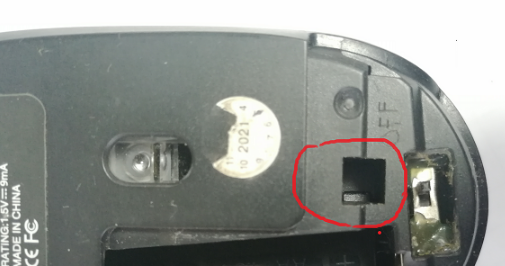
There are two clips inside the square hole, one on each side. You can use a flat-head screwdriver to push them outward from the side, and then you can open the top cover of the mouse. There are no screws.
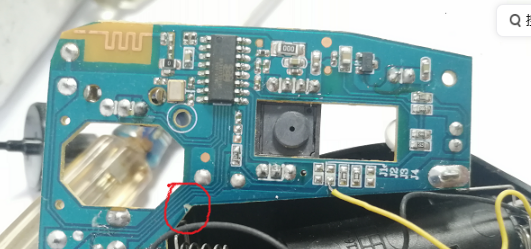
Then, you cut off the copper foil at the circled position and solder two wires onto it. You connect the wires to the switch to control the negative power supply of the mouse. There happens to be a recessed area inside the mouse that can fit the switch. You drill three holes at the back to match the three pins of the switch, then reinstall everything. Pay attention to the position of the wires to make sure they do not interfere with closing the top cover of the mouse.
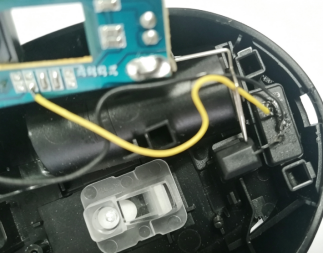
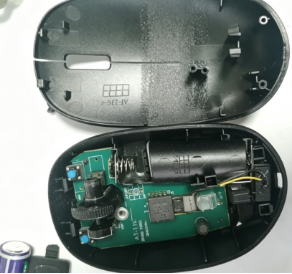
Install the battery and test it.
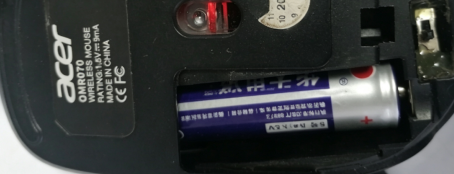
The indicator light normally displays a red light. After installing the top cover, you write "OFF" next to the switch to indicate that this side turns off the power. The DIY modification is complete.