
DIY Smart Temperature Control for WG3526 Router


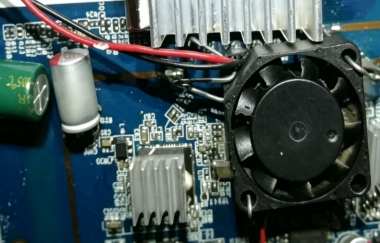
If you have a WG3526 router that often reaches temperatures above 25°C, you may experience frequent Wi-Fi disconnections, and the heatsink may feel very hot when you touch it. After installing a fan to cool the heatsink on the main MT7621 chip, the Wi-Fi disconnection problem disappears. If you happen to have a temperature controller, you may wonder whether you can add it to create an automatic temperature control system. If you are interested in DIY smart temperature control, you may want to take a look at this project.
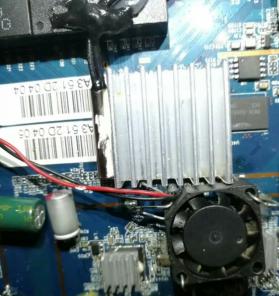
First, you need to modify the internal voltage of the 12V temperature controller to 5V and add a relay inside it with flying wires to control the 5V power supply.
Then, you need to attach the temperature controller's probe to the MT7621 heatsink to measure its temperature.
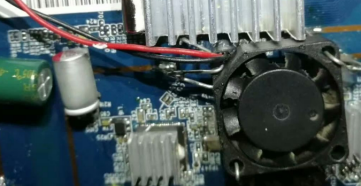
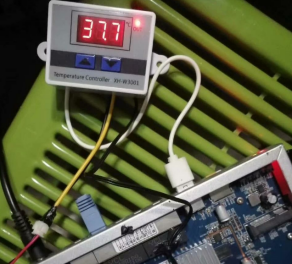
Next, you can use the USB port to provide 5V power to the temperature controller and secure an ultra-thin mini fan next to the heatsink with iron wire. Because of the limited internal clearance, this is the only practical way to install it.
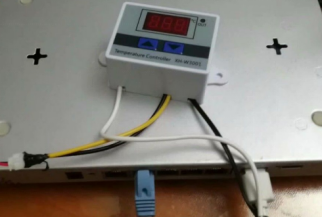
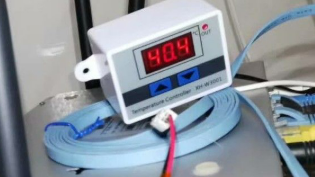
Finally, after making some adjustments based on actual testing, you can set the temperature controller to turn on the relay and power the fan when the temperature rises above 46°C. When the temperature drops below 38°C, the controller cuts off the fan's power. After running the router for some time, the Wi-Fi disconnection problem no longer occurs. The project is complete.


