
DIY 2007 iMac Mod: Turn It into a Windows PC


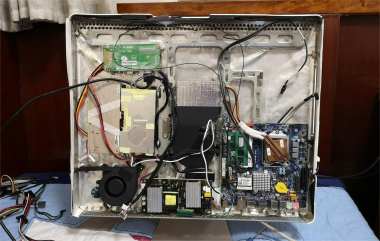
In the early days of the Apple iMac, when the machines still used a milky-white acrylic shell, they always gave people a warm and gentle feeling.
Compared with today's computers, they seemed to have more of a human touch, which is why many people liked them so much. So what can a 2007 iMac still be used for today? If you are curious, then take a look at this article.
In 2005, Apple CEO Steve Jobs announced that Mac computers would switch their processors from PowerPC to Intel, because the PowerPC processors at the time had relatively poor power efficiency. At the beginning of 2006, the first batch of Macs using Intel processors went on sale. The first one was the iMac powered by the Intel Core Duo, and its performance was several times higher than the iMac G5 while also delivering better energy efficiency.
This is a 20.1-inch iMac from late 2007. It is equipped with the Intel Core 2 Duo processor. Compared with the early-2006 iMac, this model is based on a 64-bit architecture, while the early-2006 iMac was based on 32-bit. The specific CPU model is the Intel Core 2 Duo T7200, which has two cores and two threads with a base clock of 2.1 GHz. Its display is a 20.1-inch TFT panel with a resolution of 1680 × 1050, and at that time it was considered a very good screen.
If you happen to own this computer and the memory is damaged, you can try converting it into a Windows machine and improving its performance to a usable level.
First, you need to disassemble the computer.
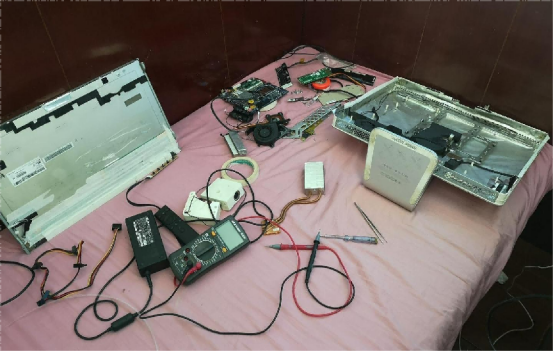
You should strip it down until only the outer shell, the screen, the heatsink, and the fan are left, and remove everything else.
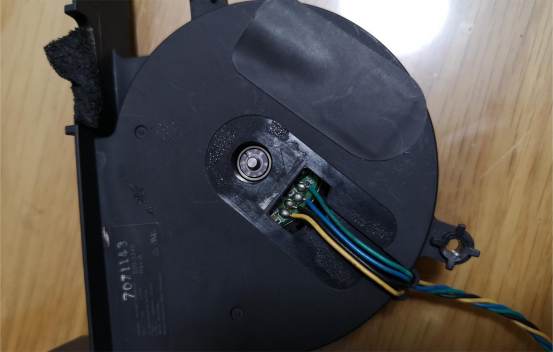
The first problem you will encounter is that Apple's fan pin definition is different from the standard PC fan definition. You can find several common PC fans, remove their internal cores, and replace the core inside the Apple fan.
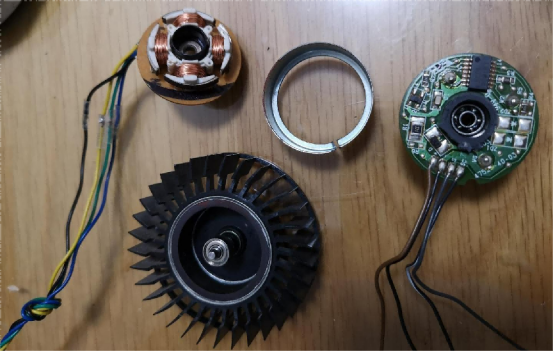
After replacing it, you can plug the fan directly into the PC motherboard.
For the motherboard, you can choose a combination like the Gigabyte H77-TN together with an Intel Core i5 3570.
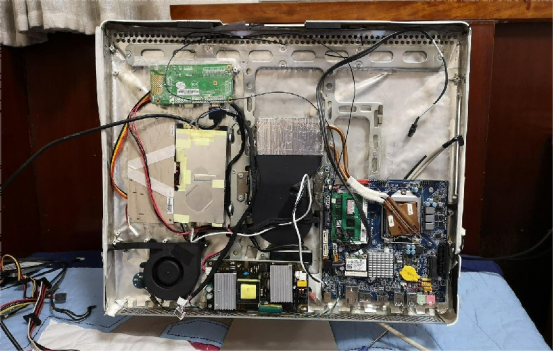
After measuring the internal space, you can place the motherboard in the lower-left corner behind the screen. The motherboard's HDMI output can connect to a display driver board, and the driver board connects to the display panel. The display and motherboard power can come from two power supply boards connected in parallel. The display power connects to the high-voltage inverter board, which then powers the screen's backlight lamps.
For cooling, you can reuse the original airflow path and the turbine fan, while rotating the heatsink 180 degrees so it aligns properly with the CPU. A SATA solid-state drive can be installed in the original optical drive bay.
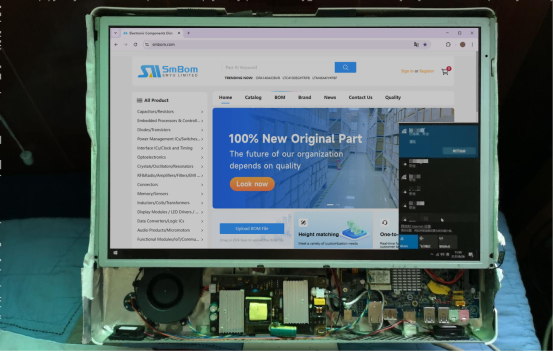
For the speakers, you can use speakers taken from an old laptop and connect them to the audio output of the display driver board. As long as the system can boot successfully, that is enough.
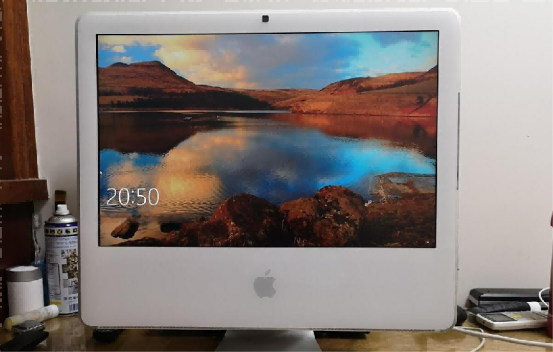
After that, you can connect your own keyboard and mouse and start using the machine.
Finished.


