
DIY Programming Clip Tutorial with Test Pins


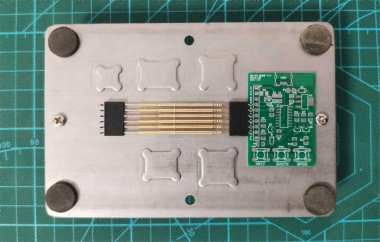
If you often like tinkering and are interested in DIY programming clips, you might want to check out this article. Programming clips are small and easy to make yourself. In this article, it'll show you how to make a programming clip using test pins.
You'll need the following materials: female headers, test pins, test pin sleeves, scrap circuit boards, paper clips or electronic wires, and clips, as shown in the picture below.
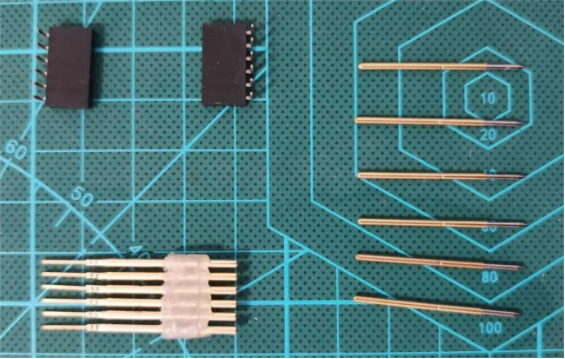
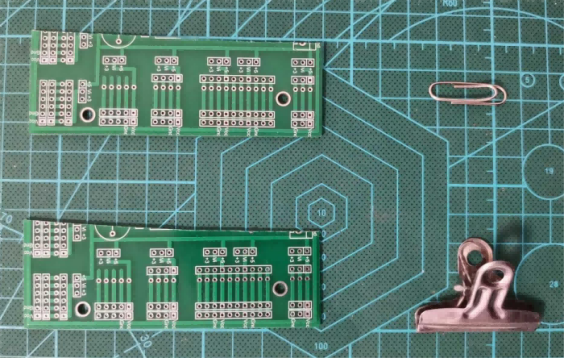
During the DIY process, you'll need a hot glue gun, so make sure to have this tool ready as well.
First, you need to fix the test pins and their sleeves using the female headers, and apply hot glue to the raised ring on the test pin sleeve, as shown in the picture below.
Next, cut a piece of circuit board to the right size and secure one end with a paper clip or electronic wire. For standard 2.54mm header holes, a paper clip can just barely fit through, so it's not very flexible to use.
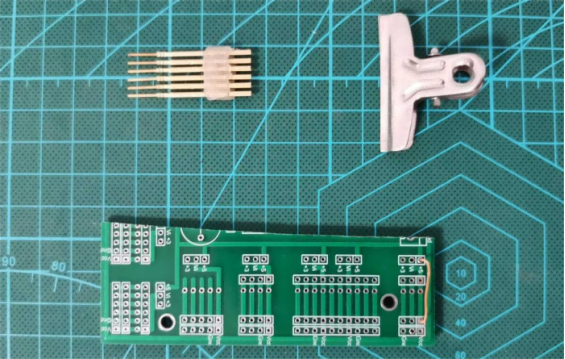
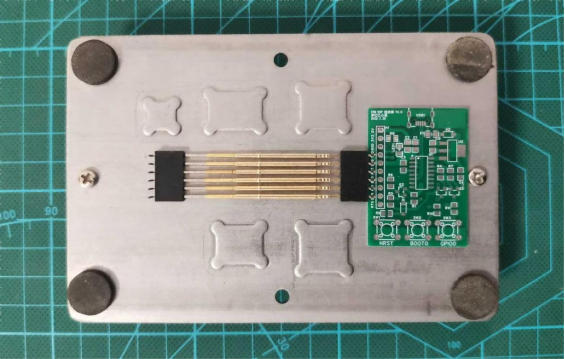
Then, pass the pins of the fixed test pin sleeves through the header holes on the circuit board and clamp the other end with a clip. The finished product looks like the picture below.
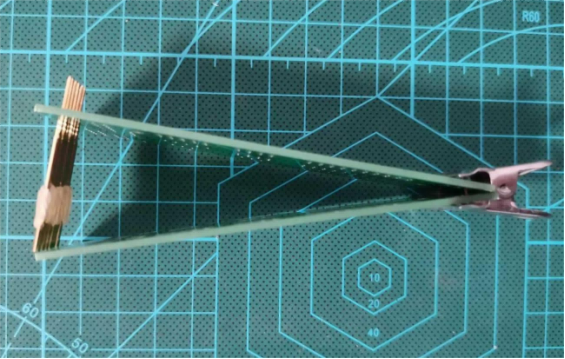
Overall, not soldering the test pin sleeves to the circuit board makes it more flexible to use. Using the test pin sleeves allows you to swap pins based on your needs. Fixing a clip on one end lets the test pins reach deep into the center of the circuit board, as long as the board piece is long enough. Choose a clip that gives the right clamping force—firm enough to hold gently but not too tight. This makes it easy to use, saves effort, and won't damage the circuit board or your testing tools.
The End


