
DIY Converting a Desk Lamp from Micro-USB to Type-C Charging


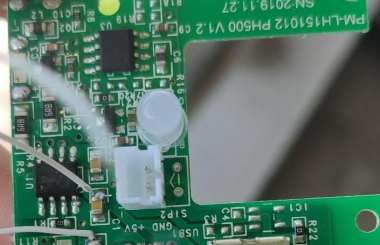
If you are interested in Type-C charging, you might as well take a look at this article.
If you have a power bank or a desk lamp, you can try replacing Micro-USB with Type-C. Since most rechargeable desk lamps on the market still use Micro-USB charging ports, it is very inconvenient for you if you prefer to use only Type-C cables. Therefore, you need a relatively universal and simple modification method that can convert most devices’ Micro-USB charging ports into Type-C interfaces. In this way, when you buy electronic devices in the future, you will not be troubled by outdated charging ports.
This article uses this desk lamp as an example to convert its charging port to Type-C.
Operation Section
Prepare the tools:
You need a multimeter.
You need a soldering iron, leaded solder, flux (Golden Rooster brand), and desoldering braid.
You need AB glue (modified acrylate adhesive).
You need tweezers, a screwdriver, double-sided tape, and a small knife.
Prepare the materials:
You need a Type-C female connector (sinking type, 6Pin).
You need a 0603 SMD resistor of 5.1kΩ.
You need thin wires.
First, you should disassemble the desk lamp and take photos of the circuit board (to avoid forgetting the wiring later). Then, you should disconnect the battery and connecting wires, and remove the mainboard to prevent short circuits from damaging the board.
You should apply flux to the surface of the original Micro-USB port, then add a blob of solder so that its surface is fully covered. Then, press the soldering iron at 380°C onto it. The solder on the surface will fully melt and quickly transfer heat to all the pins. While heating, you should gently pry the Micro-USB port with tweezers, and then you can remove it.
If you have a hot air gun, you can directly heat it to 300°C to remove it. However, a hot air gun is bulky and not always available, so this is a workaround method when you do not have one.
During the soldering process, you can use double-sided tape to fix the circuit board.
You should clean the solder from the pads and use a multimeter to find the positive and negative terminals.
A Micro-USB port has five pins, and the rightmost and leftmost pins are GND and VBus, which are the negative and positive terminals respectively.
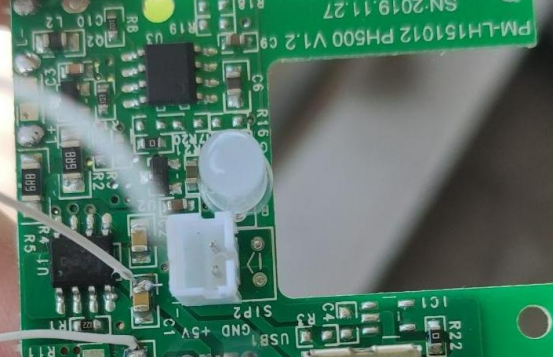
Then, based on the circuit traces and continuity testing with the multimeter, you should find suitable points connected to the positive and negative terminals. You should solder two thin wires to these points. Then, you can connect a 5V power source from a cable to test whether the charging indicator lights up, ensuring the wiring is correct.
Since you need to fix the Type-C connector in the original Micro-USB position, and the Type-C connector is larger, you should insulate the contact points. First, you should clean the circuit board surface with alcohol and tissue. Then, you should mix the AB glue evenly and apply a layer over the contact points. Wait five minutes for it to cure.
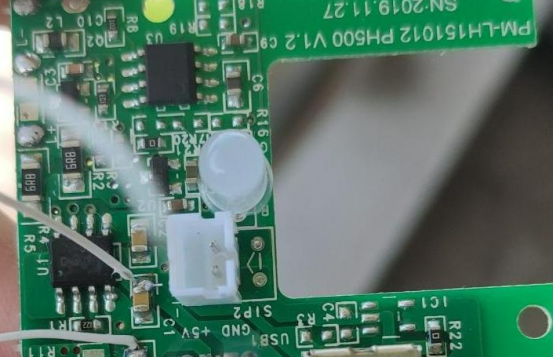
You should then apply a thick layer of AB glue on the interface area of the circuit board. You should place the smooth side of the Type-C female connector onto it, fix its position, and wait five minutes for the glue to cure and secure the connector.
You should solder a 0603 SMD resistor (5.1kΩ) to each of the two middle pins of the Type-C connector, and connect the other ends of the resistors to the metal shell of the connector.
This 6-pin Type-C connector has six pins: two grounds, two positive terminals, and two CC pins, and it cannot transmit data.
The CC pins are used by Type-C to distinguish plug orientation and perform PD handshaking.
If the two CC pins are not connected to ground through 5.1kΩ resistors, a PD charger will refuse to supply power (C-to-C cables will not work).
If your soldering skills are not sufficient, you can skip this step. A regular A-to-C cable can still supply power normally.
Soldering SMD resistors is delicate work that requires practice. Remember to use flux frequently. Leaded solder is easier to work with, and a soldering iron temperature of 330–350°C is sufficient.
Finally, you should connect the two wires from the circuit board to the positive and negative pins (VBUS and GND) of the Type-C connector. During this process, you should use a multimeter to test continuity and use a 5V power source to check whether the charging indicator lights up properly, to avoid wiring mistakes.
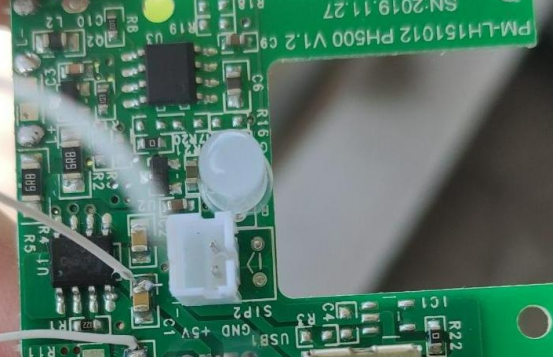
You can connect a C-to-C cable from your laptop PD charger to test it. You should test both orientations of the plug to confirm normal power supply.
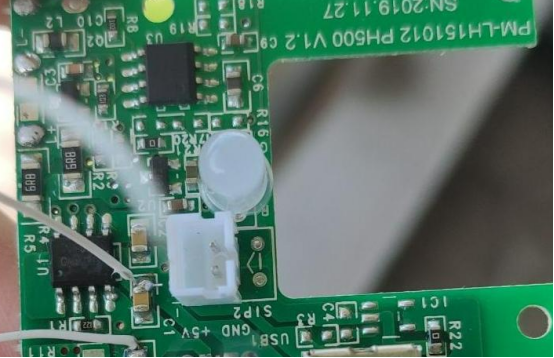
If the CC pin resistors are not properly grounded, the PD charger will refuse to supply power, or it may only work in one orientation.
A good feature of PD chargers is that if a short circuit occurs, they immediately stop supplying power and will not burn out.
Then, you should use a small knife or rotary tool to enlarge the charging port opening of the lamp’s casing. You should reconnect the battery and lamp wires, and test again.
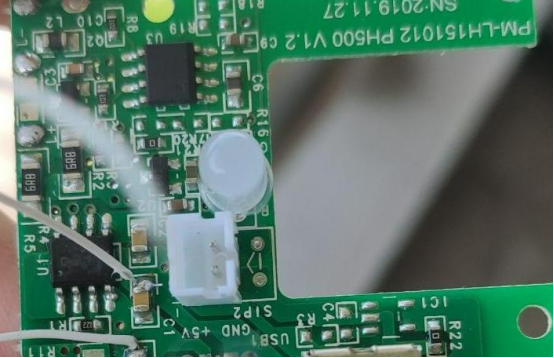
If everything works well, you can tighten the screws.
Final result:
Summary and Outlook
For simple Micro-USB powered devices, you can use this method to convert them to Type-C power. If you need C-to-C cable power supply, you must solder 5.1kΩ resistors from both CC pins to ground.
Other resistor values can also work; for example, 10kΩ can be used, although some specifications recommend 5.1kΩ.
Do not use hot glue! Hot glue can be used for temporary fixing, but for a port that will be plugged and unplugged frequently, it will loosen quickly. Instant adhesives like 502 glue are also not suitable here. AB glue can provide very strong fixation.
This replacement method only provides charging functionality (up to 5V 2A). If your modification requires data functionality (for example, to support QC fast charging), you would need a 16-pin connector, but the pins are too small and difficult to solder, so it is recommended to give up on that idea.
At this point, you will no longer have to worry about outdated charging ports when buying simple electronic devices in the future!


