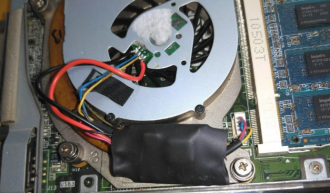
DIY Mini PC Fan Speed Control with a Voltage Regulator


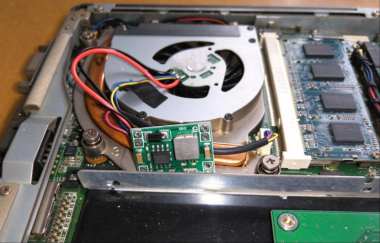
If you have a mini PC with a noisy fan, the problem may be caused by its compact size and limited cooling capacity. The original fan runs at a very high speed, and the system itself does not support speed adjustment. Previously, PWM speed control was used (which may be the best speed control solution). However, many PWM modules are relatively large.
If you happen to have a compact, slim voltage regulator module and very limited space inside your computer case, it is an ideal solution. Simply install one inside the case.
Specifications of this mini module
Input: 4.5–28V
Output: 0.8–20V
Maximum current: 3A
Operating temperature: -45 to 85°C
These specifications are more than sufficient.
After installation and speed adjustment, the fan runs much more quietly.
Here are the simple steps.
1. Disconnect the fan's positive and negative wires. Identify the polarity and solder the wires to the output terminals of the voltage regulator module.
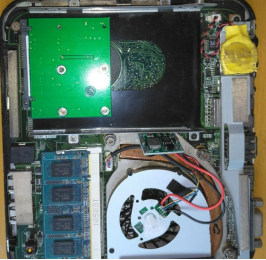
2. The module is very compact. There is just enough space next to it.
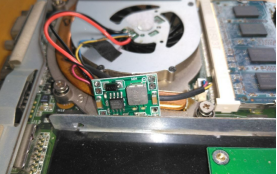
3. Cover the solder joints with heat-shrink tubing for insulation. The modification is complete.